

EPC Management System
Engineering Document Management System for Design Teams in EPC Projects
Powered by AIWho It’s For: Engineering Companies Delivering Design in EPC Projects
From first revision to final submittal PiNOR helps your engineering team stay fast, accurate, and in sync.
As an engineering company, your job is more than creating drawings and technical documents—
you’re responsible for delivering coordinated, high-quality design packages that move projects forward.
Whether you're working as a subcontractor to an EPC or delivering directly to a client, you face constant demands: version control, comment resolution, tight deadlines, and multi-discipline coordination.
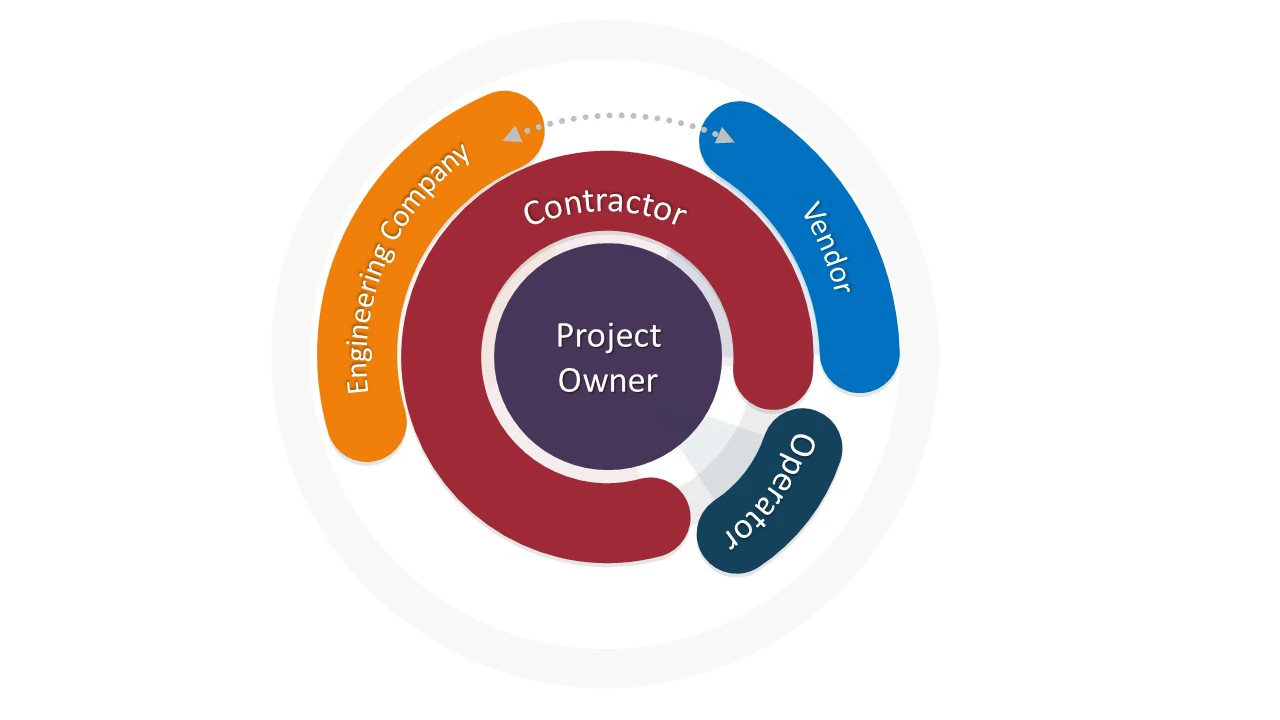
PiNOR EDMS is purpose-built to support engineering companies who:
- Develop and manage technical documents across multiple disciplines
- Submit design packages to EPC contractors or clients through formal workflows
- Handle incoming comments and revision cycles with precision and accountability
- Need full control over internal review and approval processes
- Operate in parallel projects, phases, and packages — all requiring traceability

Your Engineering. Delivered with Precision.
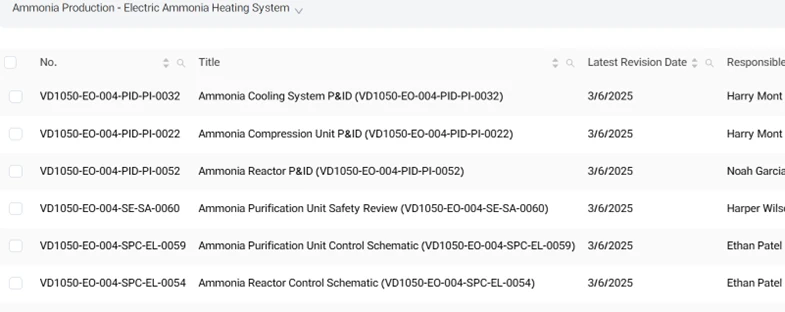
Organized Design Document Control
Maintain discipline-based MDRs and Sub-MDRs across all projects.
Auto-generate revision numbers, track version history, and keep all related references and attachments in one place.
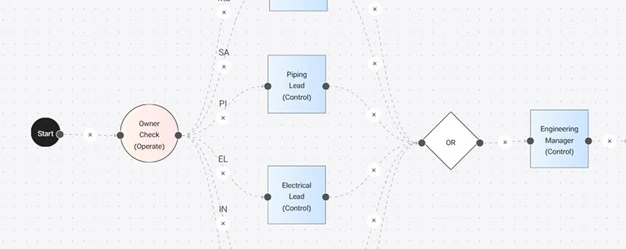
Streamlined Internal Review & Approval
Create discipline-specific workflows to route documents for technical review, checker approval, and engineering sign-off.
Seamless Submittals to EPC or Client
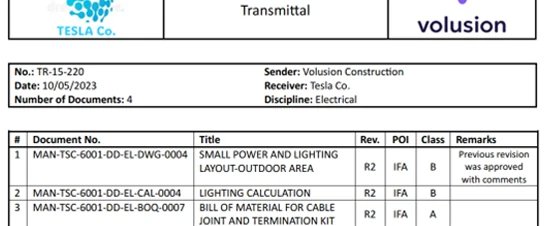
Prepare formal transmittals with auto-generated coversheets. Manage POI cycles (IFA, IFC, etc.) and ensure all outgoing submissions are tracked and acknowledged.
Comment Response & Revision Management
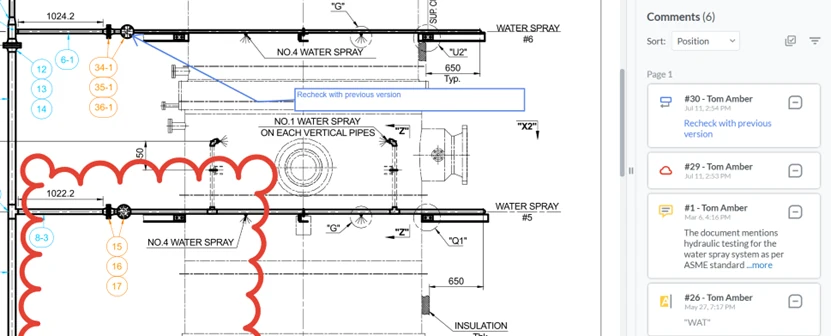
Track external feedback from clients or EPC contractors, consolidate comment sheets, generate structured reply forms, and ensure timely resubmittals.
Live Design Progress & Delay Monitoring
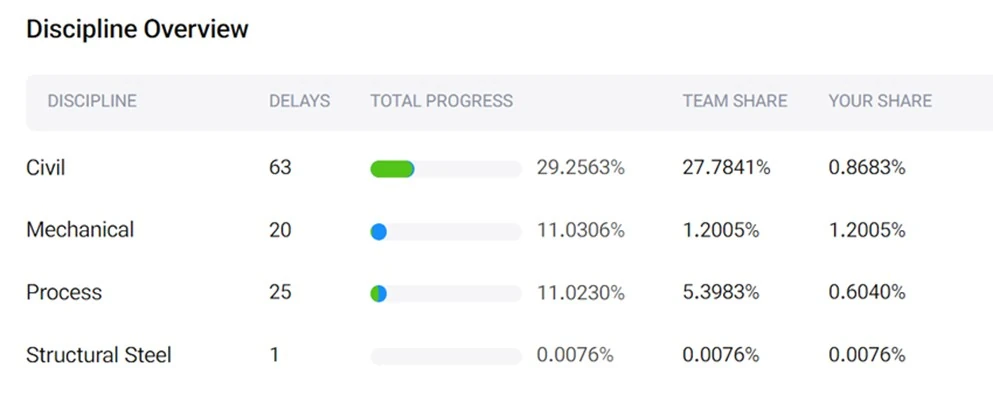
Stay on schedule by monitoring your deliverables by WBS, package, or engineering area. Spot hold points and overdue reviews before they impact milestones.
Audit-Ready Documentation
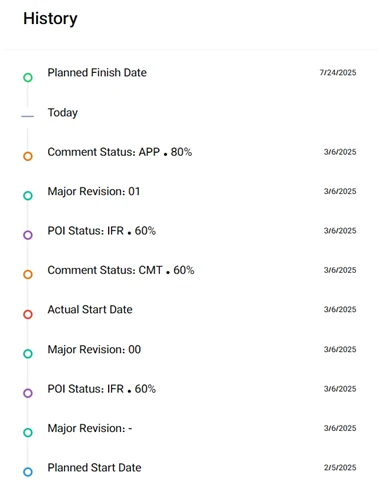
Log every action taken—who reviewed, commented, submitted, or revised. Maintain traceability to meet EPC/client QA requirements and audit trails for every drawing or spec.
Core Lifecycle Responsibilities
 Document Creation & Discipline Management
Engineering companies initiate and manage technical documents from early design stages through revisions.
- Create and manage discipline-specific MDRs or Sub-MDRs
- Auto-generate document numbers and revisions per POI/class
- Link drawings, datasheets, and specifications to document records
- Maintain clear ownership and version control across teams
 Internal Review & Approval
Before any external submission, engineering firms perform structured internal reviews.
- Route documents through discipline leads and engineering managers
- Track internal comments and revisions with full audit history
- Support multi-stage approval processes
- Lock approved documents for external submittal
 Submittals to EPC or Client
Submissions are made based on POI, with clear tracking and formal transmittals.
- Create structured transmittals using client or EPC templates
- Submit files to external parties with auto-generated coversheets
- Link transmittals to MDR items and revision histories
- Maintain logs of all outgoing submissions
 Comment Response & Revision Loop
Manage feedback loops efficiently to avoid delays or rework.
- Receive and import external comment sheets from EPC/client
- Consolidate and assign comments by discipline
- Generate structured response sheets
- Manage resubmissions with traceable history and approval routing
 Progress Monitoring & Accountability
Stay on schedule and demonstrate responsiveness across all phases of design.
- Monitor document progress by status, discipline, or WBS link
- Identify overdue reviews, unaddressed comments, or stalled submittals
- Export status reports for coordination meetings or QA reviews
- Ensure alignment with overall project milestones
Design Documentation Workflow
Document Creation & Control
Organize and author your designs with discipline and clarity.
- Manage your own Master Document Register (MDR) or Sub-MDR per project
- Auto-generate document numbers and revisions per discipline or system
- Maintain full version history with change tracking
- Attach related files, references, and drawings to each document set
Internal Review & Approval
Streamline team-based reviews and approvals across all disciplines.
- Create automatic workflows based on document class or engineering area
- Route documents to the right reviewers with deadlines and dependencies
- Track internal comment history and reviewer input before submission
- Lock approved files for downstream use or external transmittal
Client Communication
Submittal & Client/EPC Communication
Submit with confidence—every time.
- Create transmittals with auto-generated coversheets (POI-driven: IFA, IFC, etc.)
- Link submitted documents to comments, revisions, and reply sheets
- Track status of submittals and get live feedback on pending approvals
- Use standardized templates or client/EPC formats
Comment Loop Management
Respond quickly to client and EPC feedback.
- Import and consolidate external comment sheets
- Annotate directly on PDFs, CAD drawings, or models
- Auto-generate Excel-based comment resolution sheets
- Track replies by status (pending, resolved, rejected)
Engineering Visibility & Control
Real-Time Progress & Delay Visibility
Stay on top of your deliverables.
- Dashboards show progress by package, document type, or WBS
- Receive alerts for overdue reviews or delayed responses
- Monitor review cycles and revision aging per document
- Export progress reports for client or internal meetings
Full Audit Trail & Traceability
Ensure every action is documented.
- Log who created, reviewed, submitted, or modified each document
- Track all versions, comments, and decisions in one place
- Ensure compliance with EPC/client QA requirements
- Generate traceability reports for handover or audits
Smarter Reviews. Faster Decisions. Fewer Delays.
Leverage PiNOR’s integrated AI features to accelerate document handling, improve accuracy, and minimize wasted time in complex engineering projects.

Design Comparison
Catch every change between document versions—automatically.
PiNOR’s AI highlights design changes across revisions in PDFs, CAD files, reducing review time and eliminating missed updates across disciplines.

Comment Consolidation
Turn fragmented feedback into a clear action plan.
AI analyzes, groups, and organizes technical comments from multiple reviewers into a unified resolution sheet—saving time and ensuring traceable decision-making.
Smart Summarizer
Understand any document—without reading every page.
Summarizes long technical documents, reports, and procedures, helping EPCs and reviewers grasp key content quickly and route documents appropriately.
BOM Extractor
Quickly generate material lists from design documents.
Extracts BOM tables from engineering documents for procurement and fabrication tracking, ensuring alignment between design and supply.
Advanced Tagging
Tag your documents—automatically and accurately.
AI identifies systems, equipment, areas, and vendors in documents, enabling smart categorization, cross-referencing, and databook generation.
Risk Assessment
Spot risks buried in your contracts and commitments.
AI reviews contract terms, commitments, and associated documents to identify potential risks or non-compliant clauses—before they affect project execution.
Procedure Generator
Create standardized procedures in minutes.
AI suggests procedure drafts based on similar projects, internal templates, and industry norms—saving time while ensuring compliance and consistency.

AI-Powered Assistant
Ask questions directly to your documents.
An AI-powered chatbot that answers user queries about specific documents—like important points, revision content, or referenced clauses—without opening the file.
+25 More Advanced AI Models
Deployment & Integration
Flexible. Scalable. Seamless.
Whether you're running a single-site project or managing a multi-country EPC portfolio, PiNOR adapts to your IT and operational environment—without compromise.


Private Cloud
Isolated instance on a dedicated cloud environment—fully compliant with your internal IT security and data policies.
On-Premise
Installed within your own infrastructure, behind your firewalls.
Best for high-security projects or where full control is required.

Project Planning Integration
Import WBS and activity data from Primavera P6 and Microsoft Project (MSP) and link engineering documents to WBS elements for real-time progress tracking
RESTful APIs
Open API layer to exchange data with External DMS systems, ERP integration (e.g., SAP, IFS or Oracle), Client portals, Contract management platforms
2FA & SSO | Role-based and multi-dimensional access control | GDPR-ready
Everything You Need, Always in View
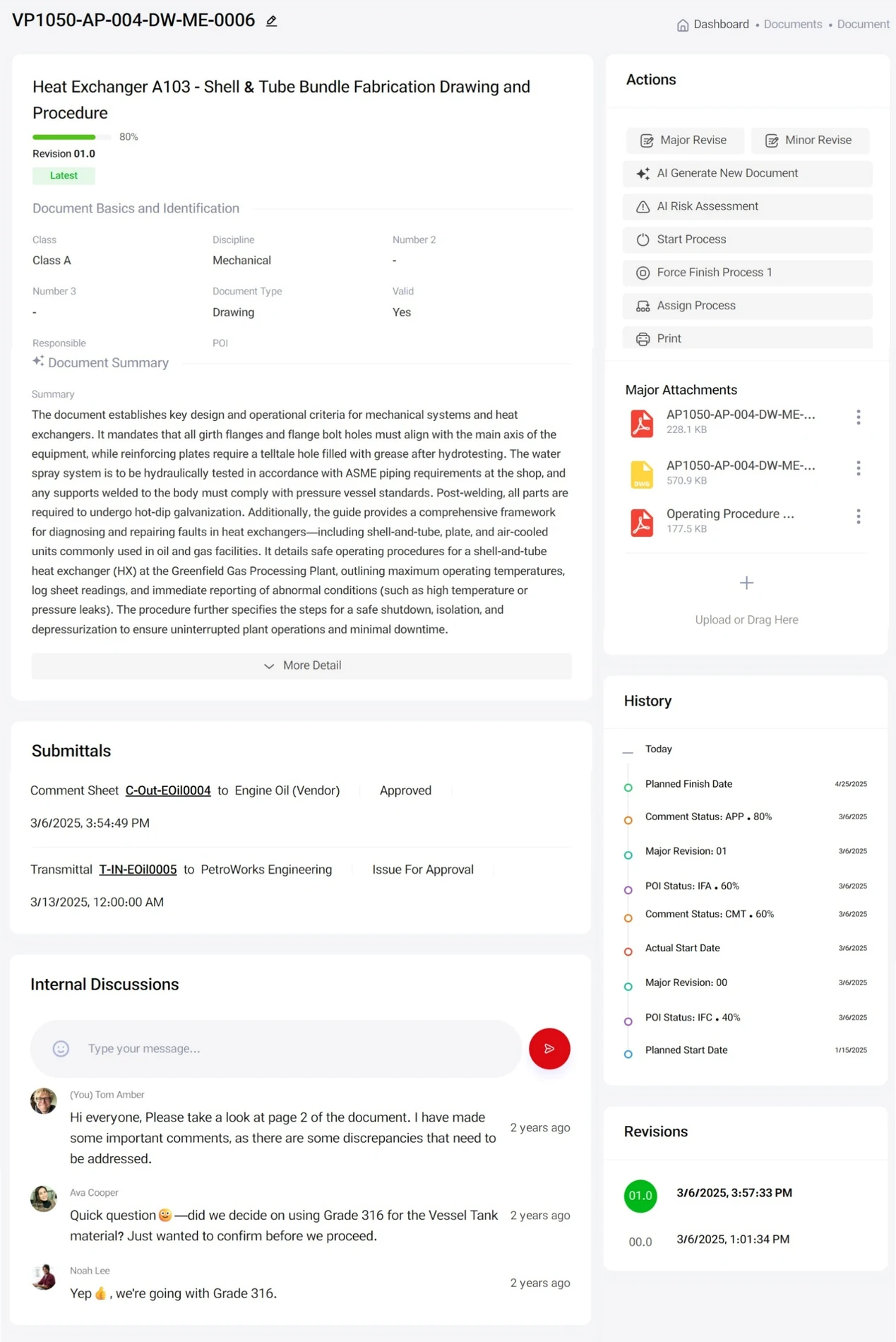
PiNOR’s user interface is built on our 360° Concept:
Every task, every role, every screen is designed to provide full information visibility without context switching.
- View progress and status
- Access metadata, POI, workflow stage, and discipline info, document summary, advanced tags
- Download or review attachments
- the full audit trail and history
- Track related submittals, comments, and transmittals
- Take action: Revise, assign, print, or share
- Access previous revisions
No tab switching. No hunting. Just focused, uninterrupted work.

The information contained in this brochure is provided for general informational purposes only and does not constitute a binding offer or contract. Features and specifications are subject to change without prior notice. Actual implementation may vary depending on project requirements and system configuration.
All rights reserved. PiNOR® is a registered trademark of Rhyton Solutions GmbH. Unauthorized reproduction, distribution, or use of any content or visuals in this brochure is strictly prohibited.